Cookie Consent for Privacy RegulationsGDPR & CCPA Made Easy
A privacy-first Cookie Consent Solution for websites that need clear, customizable cookie consent banners and accurate consent signaling. Built-in support for Google Consent Mode v2, Microsoft Consent Mode (Clarity & Bing Ads), and Meta Pixel consent to support your compliance efforts across analytics and advertising in the EEA/UK. Optional Server-side GTM add-on for advanced tagging setups.
We use cookies
We use cookies to enhance your browsing experience, serve personalized content, and analyze our traffic.
GDPR Ready
Consent Mode v2
Manage Consent in 3 Simple Steps
Set up your cookie consent banner in minutes, not hours. No coding required.
Create Your Banner
Sign up and use our visual editor to design a cookie banner that matches your brand. Choose colors, layouts, and customize the text for your audience.
Install the Script
Copy one line of code and paste it into your website. Or use our Google Tag Manager template for even easier setup. That's it - no complex configuration needed.
Support Compliance
Your banner automatically handles consent collection, cookie blocking, and Consent Mode v2 signals. Monitor consent rates and manage preferences from your dashboard.
Everything You Need for Cookie Consent Management
Powerful features to support your compliance efforts and keep your users informed
Global Compliance
Designed to help you comply with GDPR, CCPA, LGPD, and ePrivacy Directive. Tools to manage consent and preferences effectively.
Geo-Targeting
Show the right banner to the right users. Display GDPR banners only to EU visitors and CCPA notices to California residents.
Customizable Design
Fully customizable banner designs to match your brand. Change colors, fonts, positions, and animations with our visual editor.
Multi-Platform Consent Signals
Seamless integration with Google Consent Mode v2, Microsoft Consent Mode (Clarity & Bing Ads), and Meta Pixel consent.
Smart Script Management
Easily manage third-party scripts. Categorize cookies and control when scripts fire based on user consent choices. Optional Server-side GTM add-on.
Real-time Analytics
Track consent rates, category preferences, and user behavior with detailed analytics and reporting dashboards.
Developer API
Robust API and callbacks for developers. Extend functionality, trigger custom events, and integrate with your existing stack.
Mobile Optimized
Responsive and touch-friendly designs that look great and work perfectly on all devices, from desktops to smartphones.
A banner that looks like your site, in about a minute
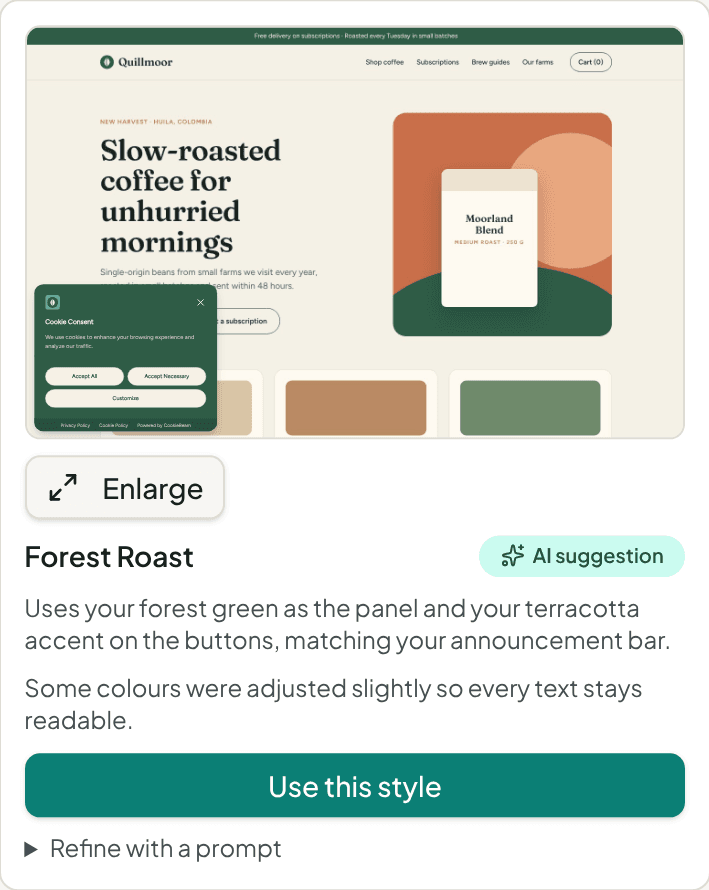
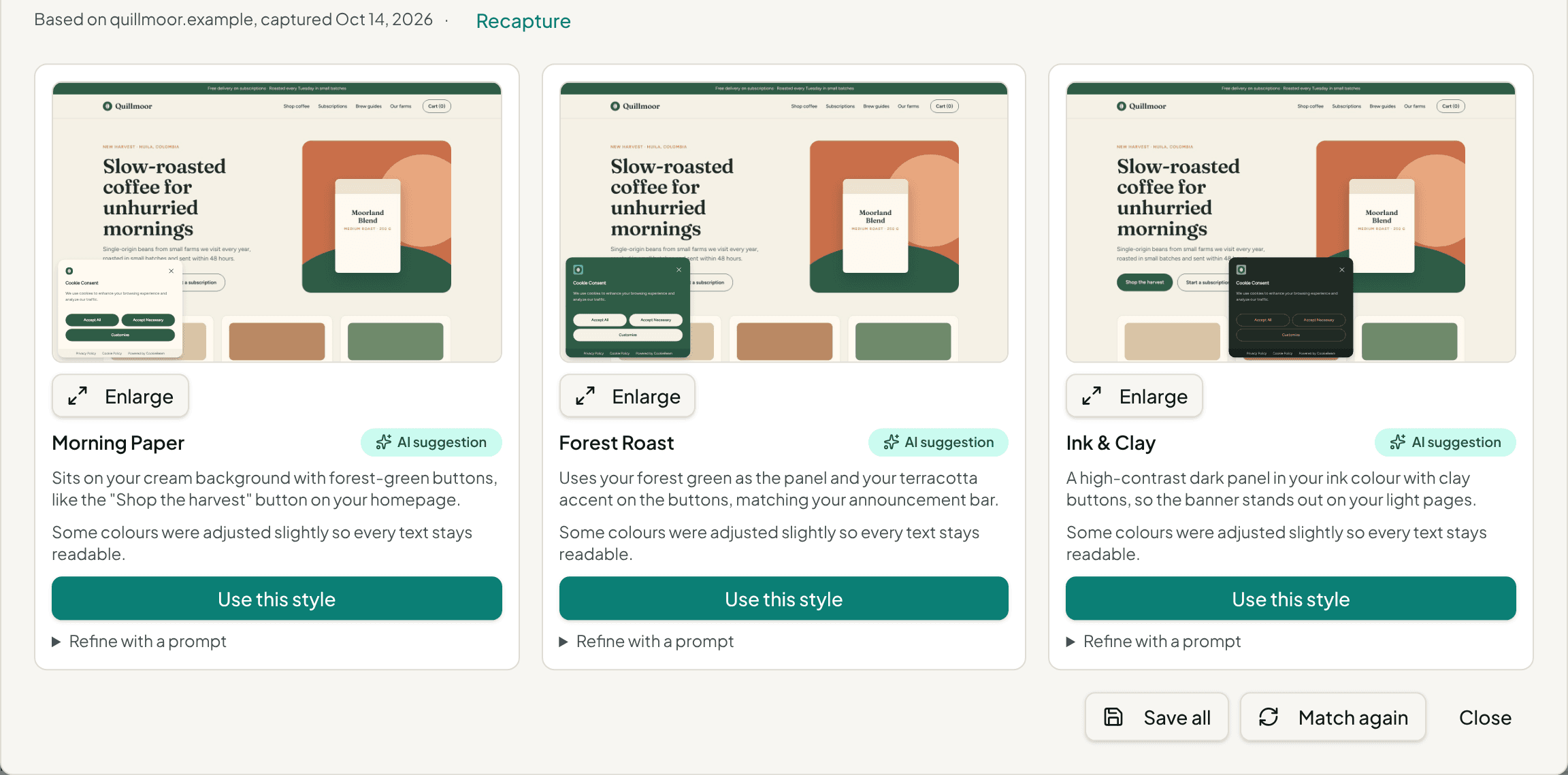
Cut the design and development time. CookieBeam captures your homepage, reads its colours, fonts, corner shapes and logo, and our AI suggests three banner styles that fit. In about a minute you have an on-brand banner you can keep customising in the designer.
- 1
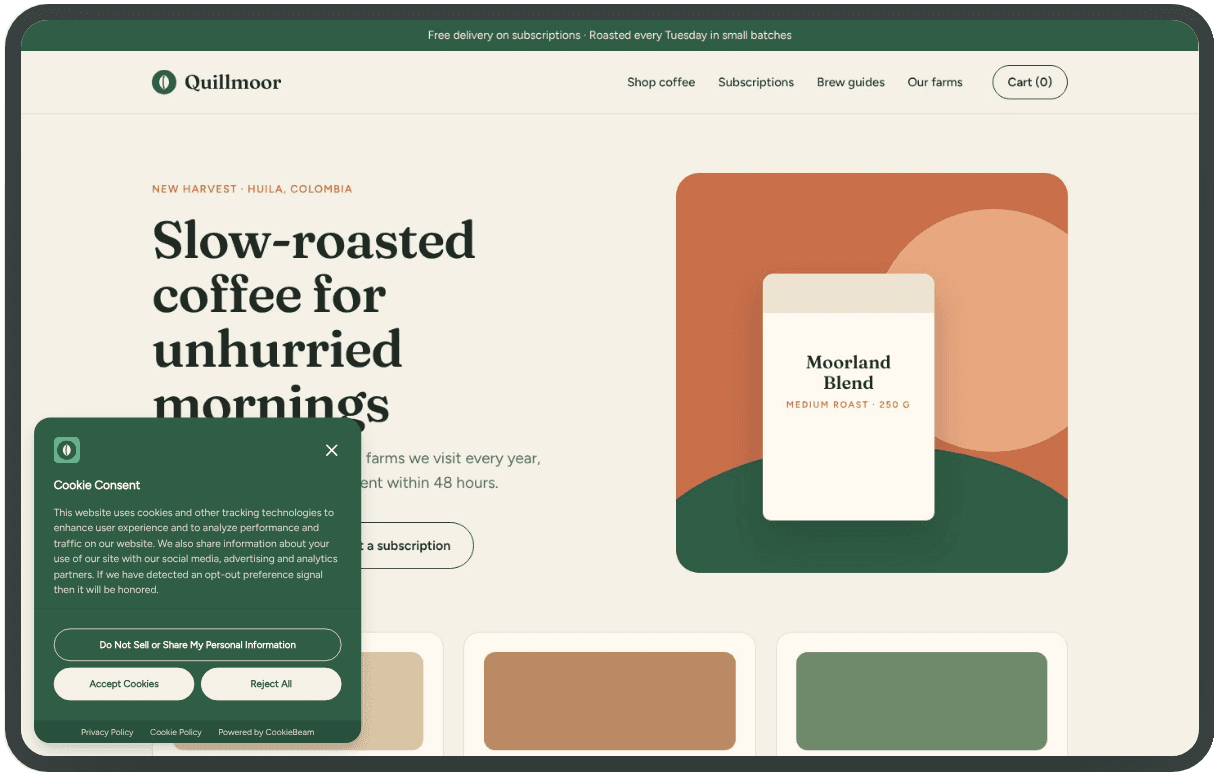
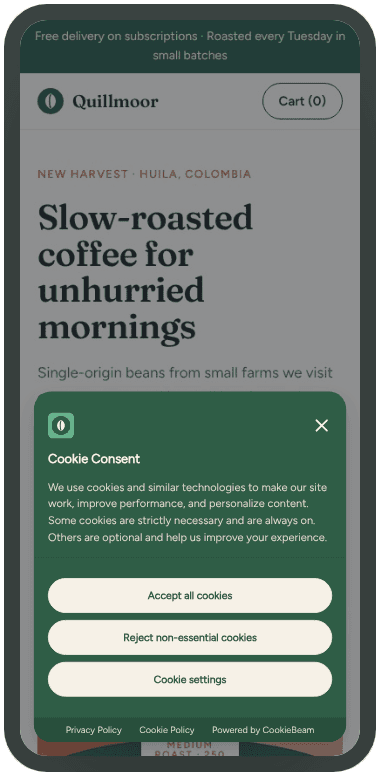
We capture your homepage
On desktop, tablet and mobile. Behind bot protection? Enter your brand colours and font instead.
- 2
AI suggests three styles
Typically a quiet one, one in your brand colour and a high-contrast one, each with a one-line reason.
- 3
Check it where it runs
Enlarge any style, switch device, and preview it under GDPR, California and the other legal presets.
- 4
Refine, then save
Ask for changes in plain words, like "square buttons and our green". The style you pick becomes a new theme.
On brand, and still fair to your visitors
- Text keeps at least 4.5:1 contrast. Where a colour would be hard to read, we adjust it slightly and tell you.
- Accept and Reject always share one button style, so no style nudges visitors to accept.
- Nothing goes live until you make the new theme your default and publish.
Available on Starter and above. It changes how your banner looks, not your consent settings or wording.
Beautiful Banners That Match Your Brand
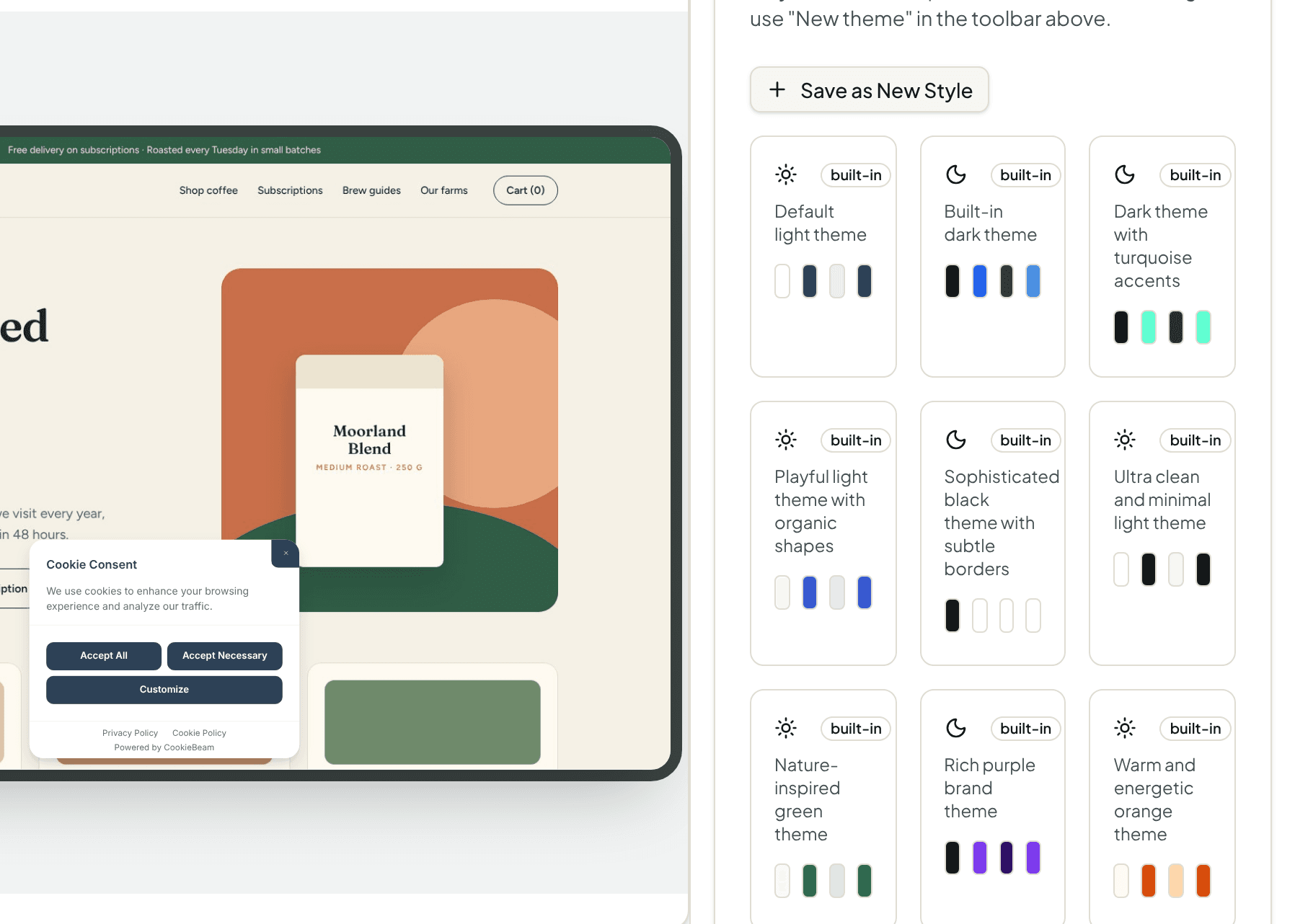
Choose from 21 built-in themes or create your own custom styling. Our visual editor makes it easy to design consent banners that seamlessly integrate with your website.
- 21 professionally designed themes
- 7 banner layout variants: Box, Cloud, and Bar
- Full control over colors, fonts, and positioning
See What's Possible
Much more than colours: layouts and positions, your logo and font, button styles, the preferences panel and the wording each region needs. Every example below is a real banner rendered on a capture of the same homepage.
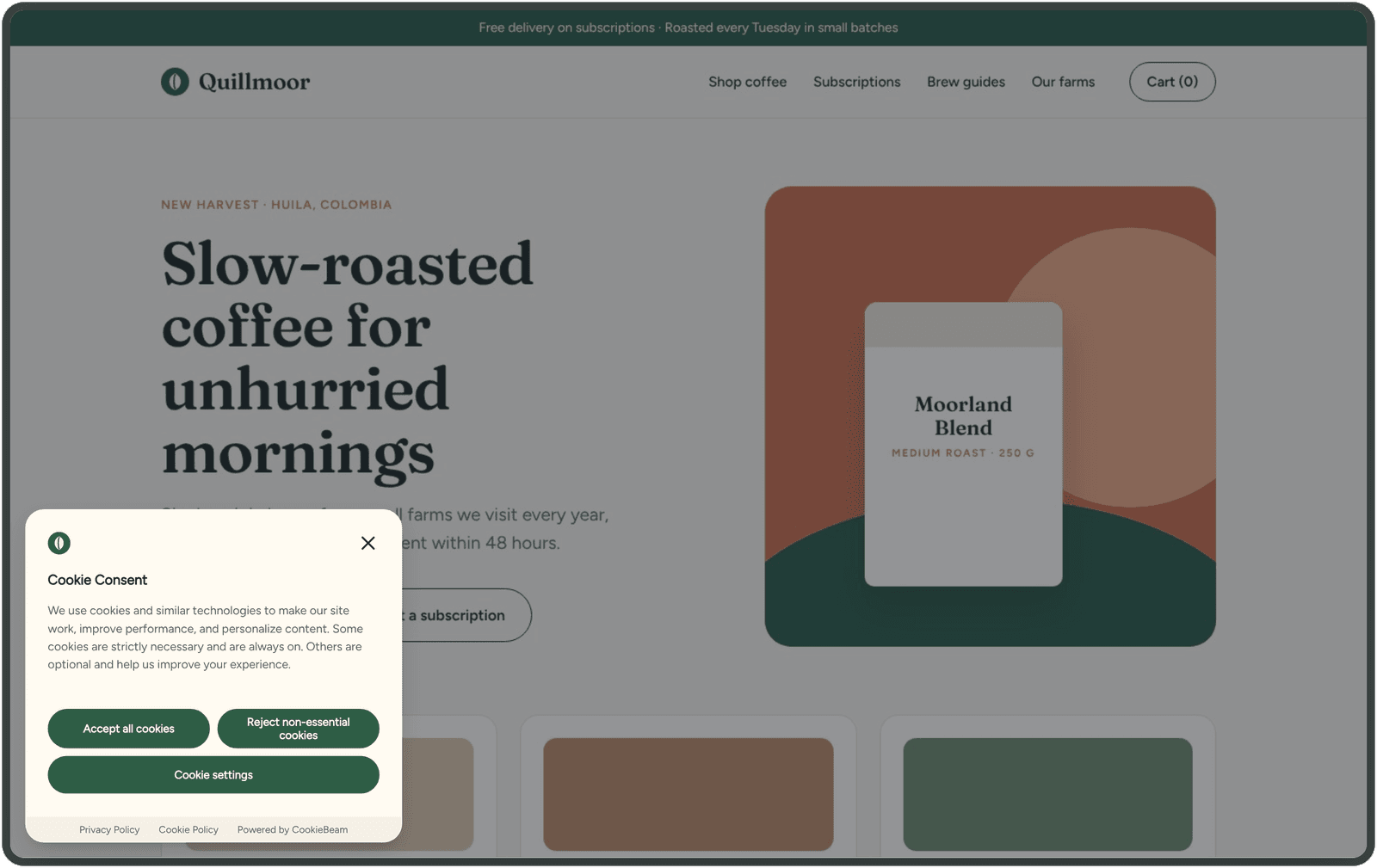
Matched to your site
Your logo, your font and pill buttons, suggested by Match my website.
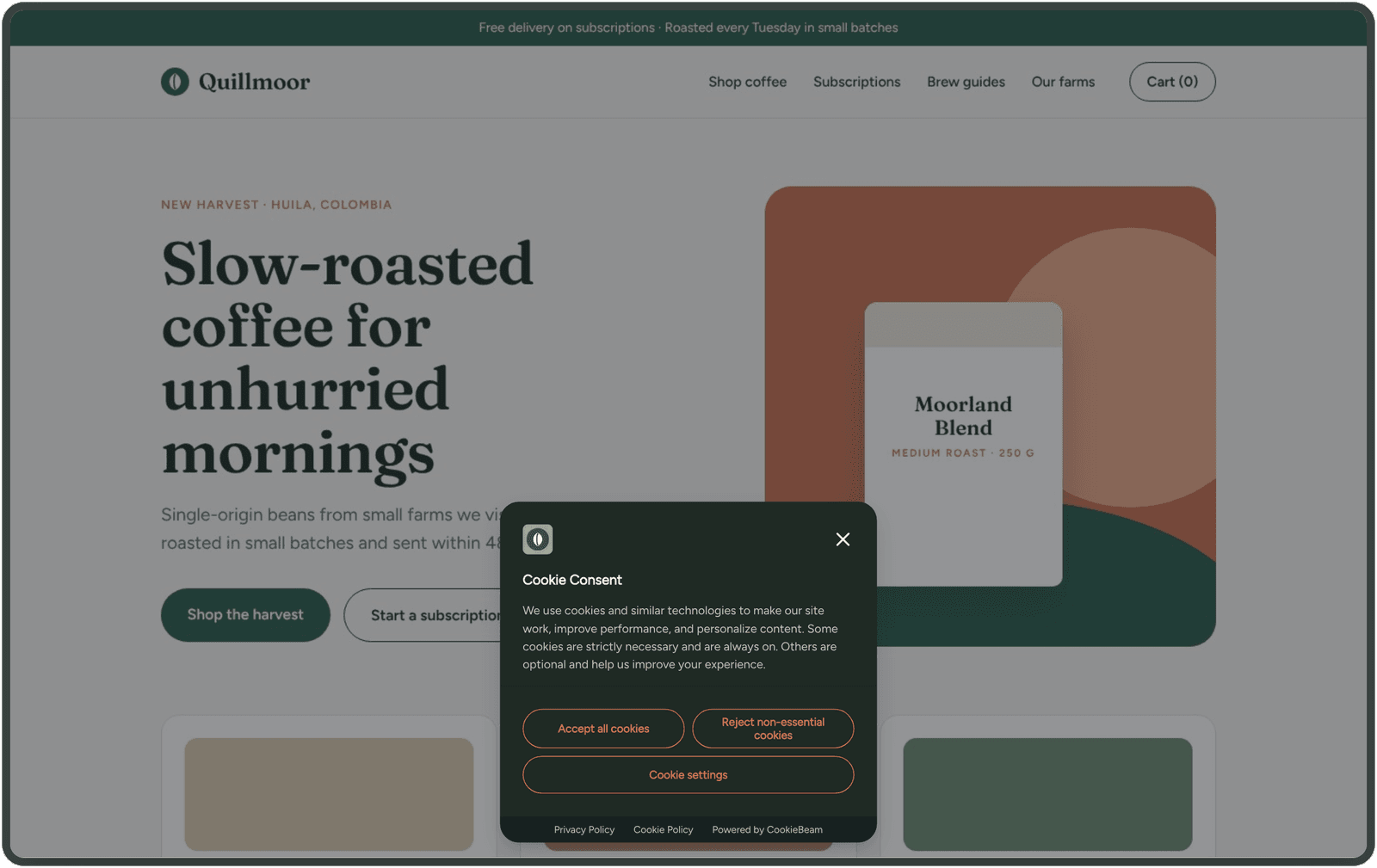
High contrast, outline buttons
A dark panel with outline buttons that stands out on a light site.
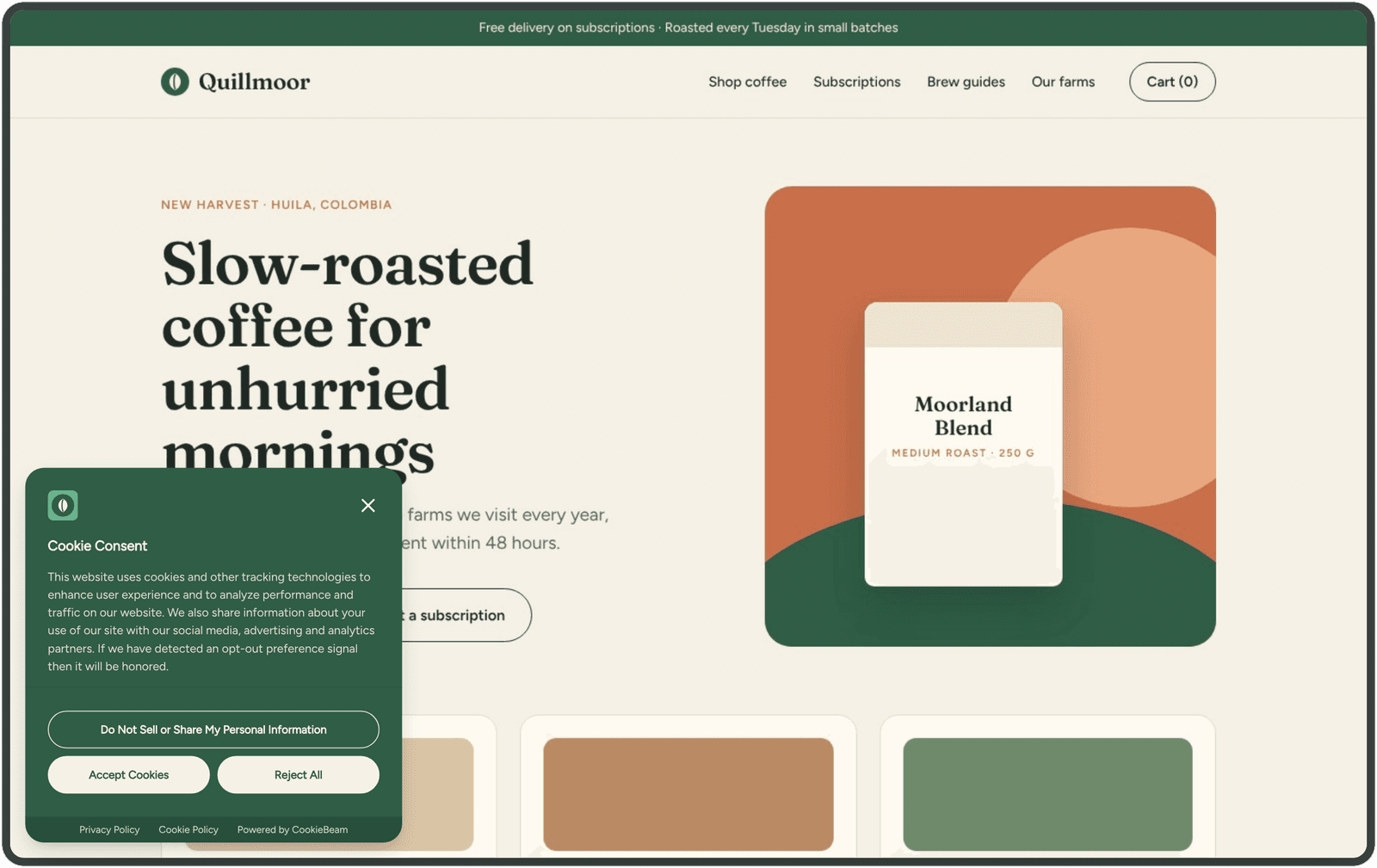
Wording for each region
California visitors get Do Not Sell or Share; EU visitors are asked first.
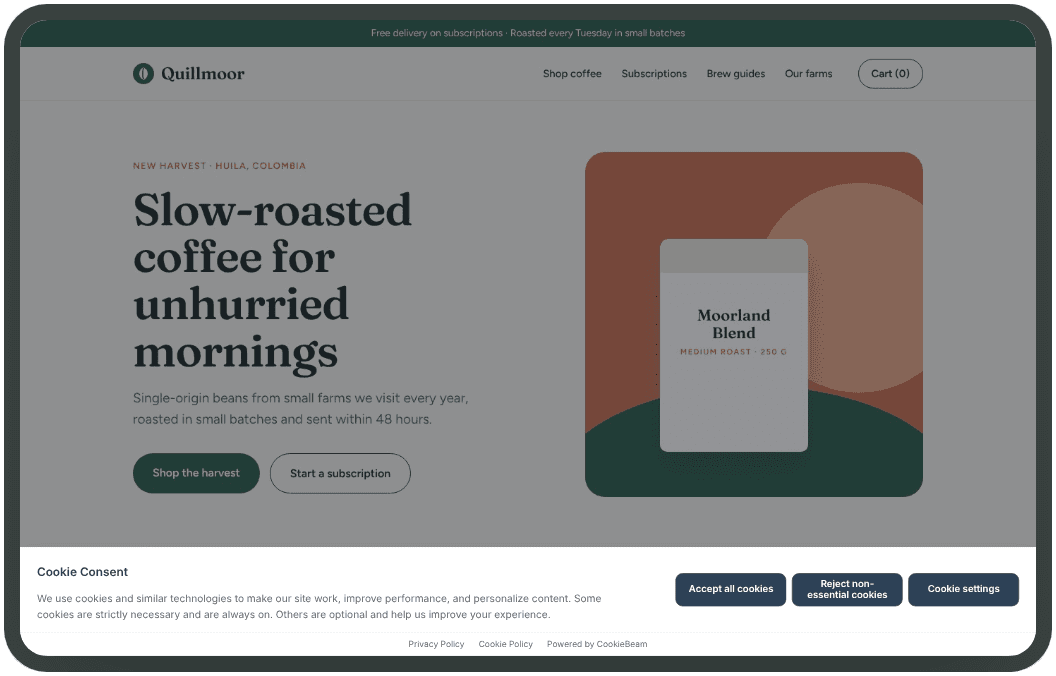
Full-width bar
A slim bar along the bottom that keeps the page in view.
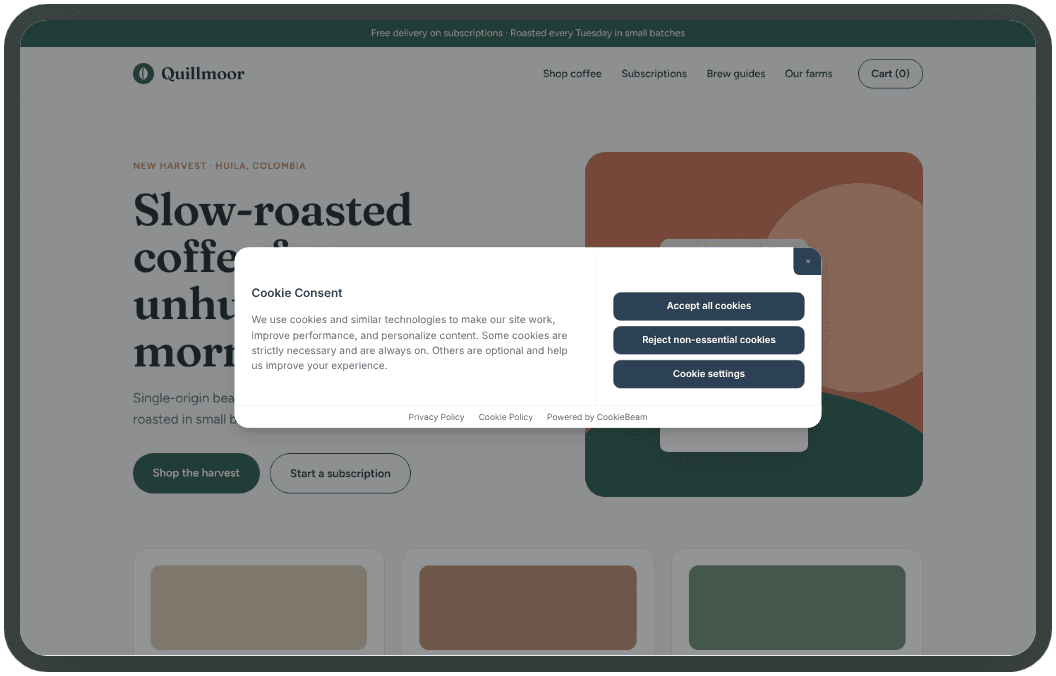
Floating cloud
A compact card that floats over the page.
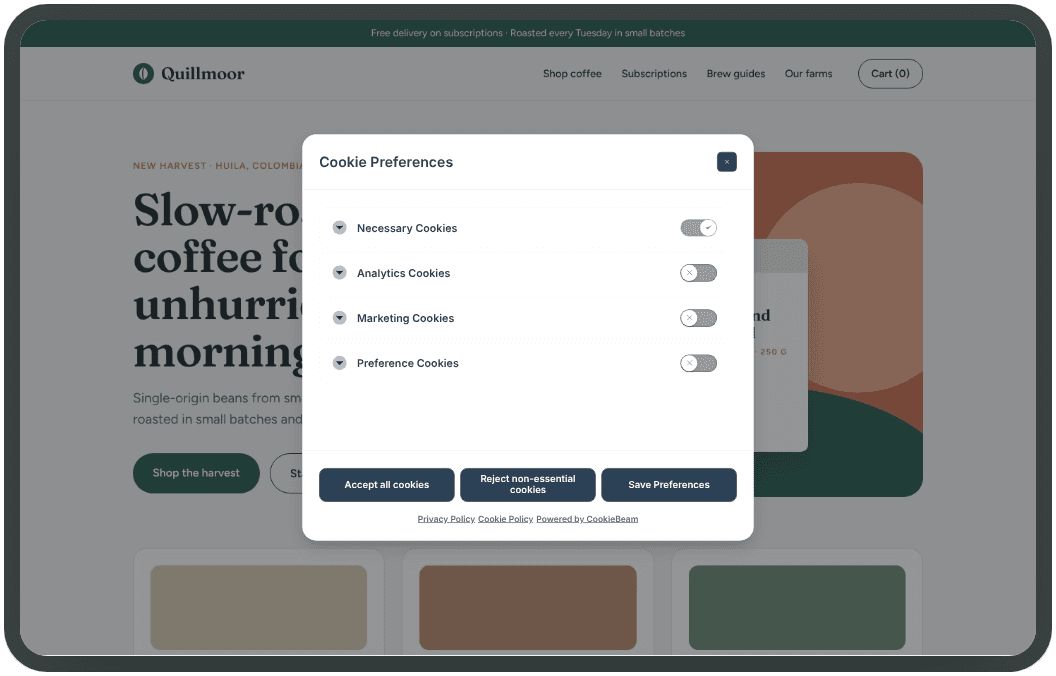
Preferences panel
Category toggles visitors can switch on and off one by one.
See Your Banner Before Going Live
Preview your consent banner in real-time across desktop, tablet, and mobile devices. Test different scenarios and see exactly how your visitors will experience it.
- Desktop, tablet, and mobile previews
- Test consent and preferences modals
- Instant visual feedback as you design
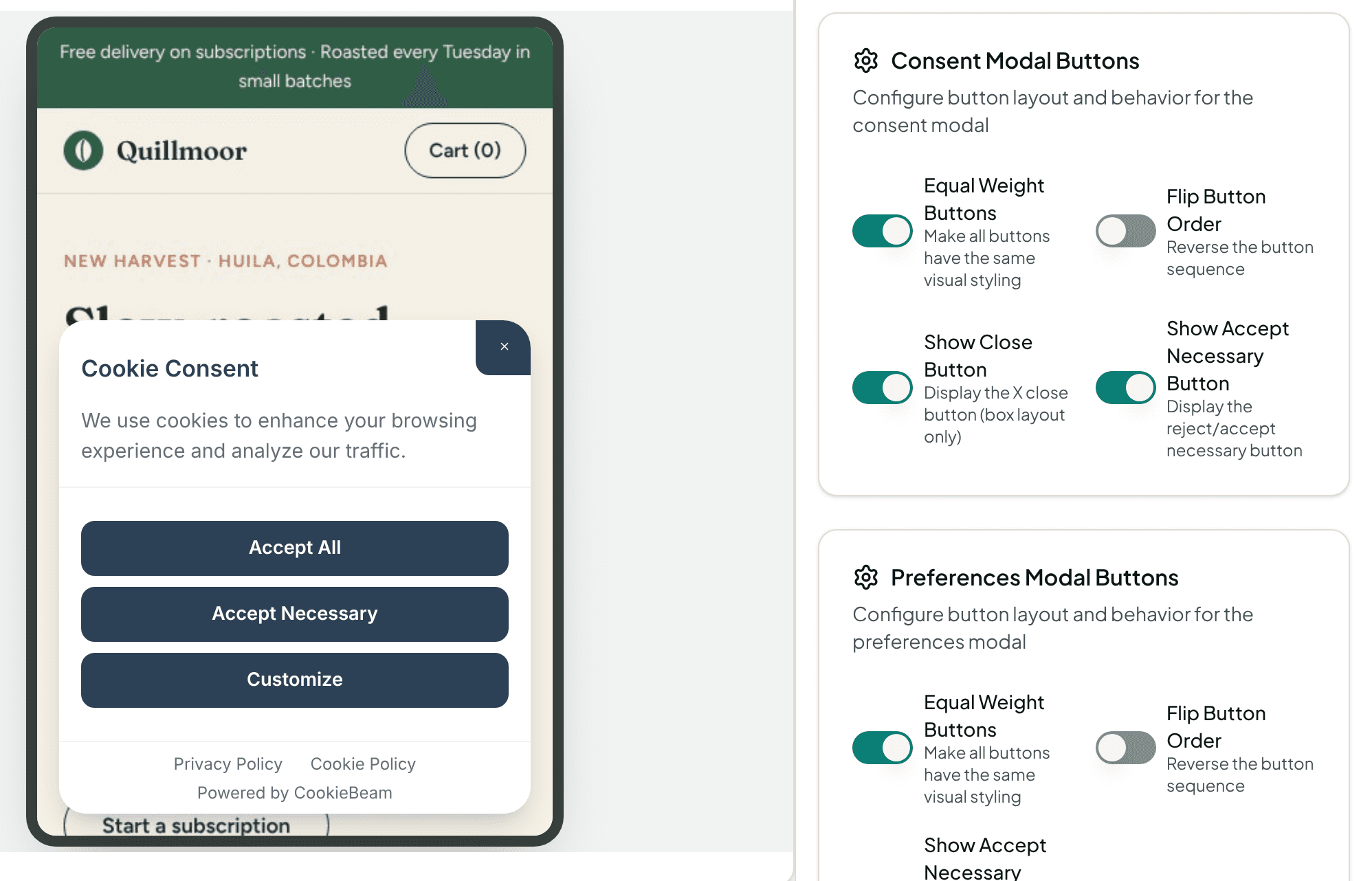
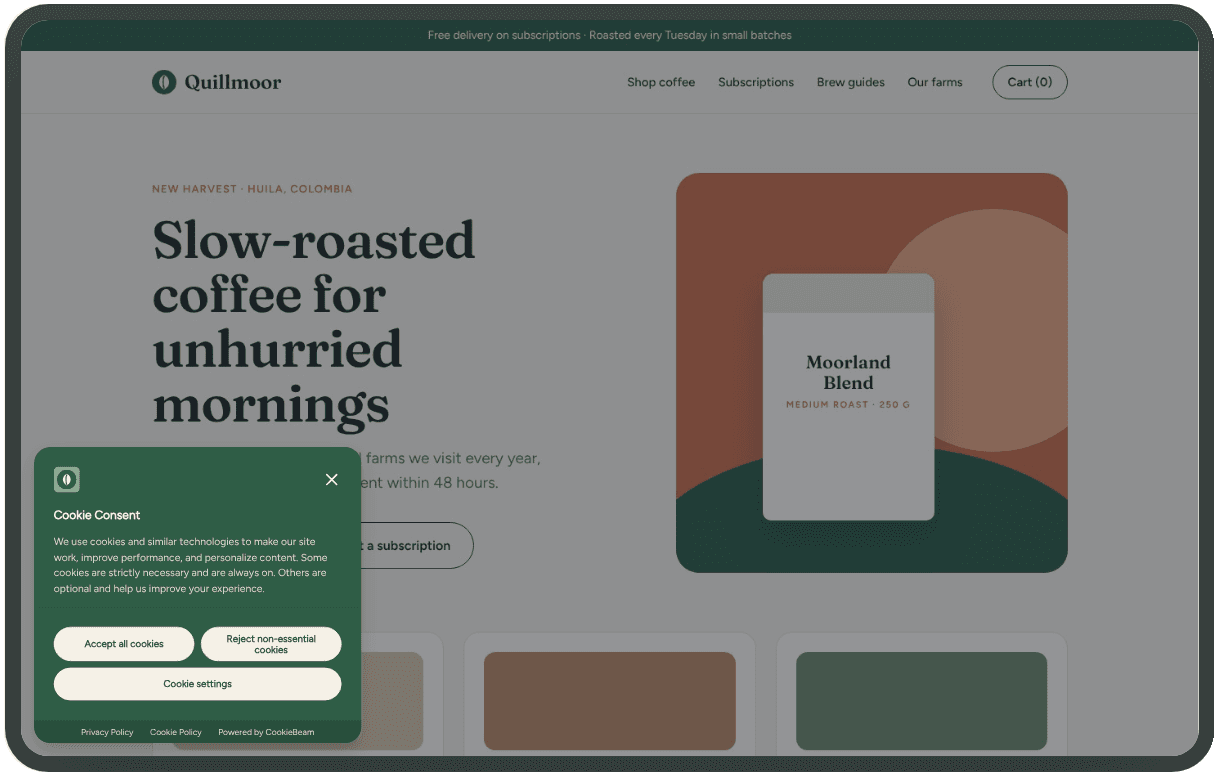
Desktop
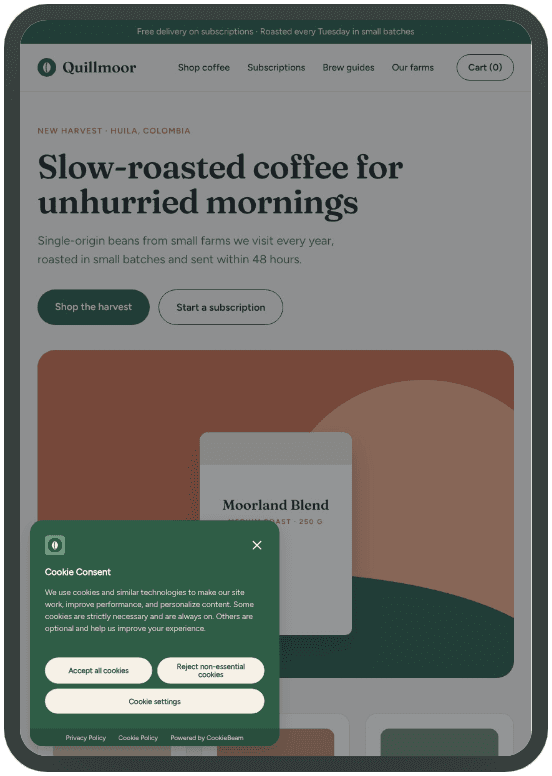
Tablet
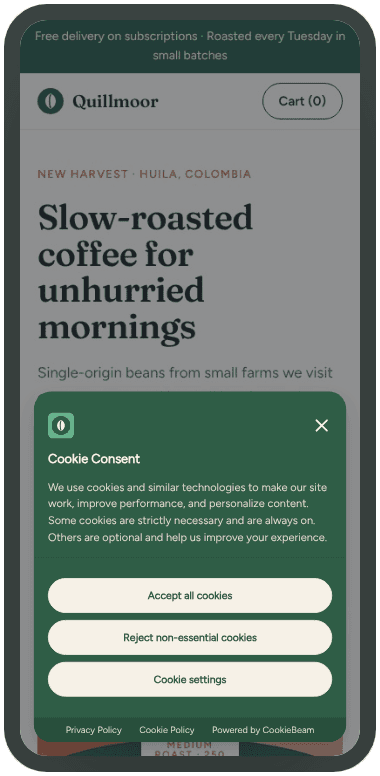
Mobile
Consent Signals for Your Measurement Tools
CookieBeam sends consent signals to Google tags, Microsoft UET and Clarity, and Meta Pixel. Enable and publish the relevant integrations, install the tags separately, and verify their consent behavior.
Google Ads may model conversion gaps; advanced Consent Mode uses cookieless pings when consent is denied, subject to Google’s traffic and eligibility requirements. Modeled results are aggregate estimates, not recovered individual conversion events. Microsoft UET modeling requires its own tag setup; Meta and Clarity consent signals and server-side GTM do not guarantee conversion recovery.
Comprehensive Privacy Regulation Support
CookieBeam helps you navigate the complex landscape of global privacy regulations. Support your compliance efforts across multiple jurisdictions with a single solution.
GDPR (EU)
Built for EU General Data Protection Regulation requirements including consent management, data subject rights, and documentation requirements.
CCPA/CPRA (California)
Support for California Consumer Privacy Act and California Privacy Rights Act including opt-out mechanisms and "Do Not Sell" requirements.
ePrivacy Directive
Designed to help meet the EU ePrivacy Directive requirements for cookies and electronic communications across all member states.
LGPD (Brazil)
Ready for Brazil's Lei Geral de Proteção de Dados with appropriate consent mechanisms and user rights support.
Your own region rules
Add a rule for any countries or US states you choose, beyond the built-in legal presets. Name it, pick how visitors are asked (ask first, allow until declined, or notice only), and give it its own banner design.
What's Included
- Automatic geo-detection for region-specific banners
- Pre-built legal framework presets (GDPR, CCPA, LGPD, PIPEDA)
- Google Consent Mode v2 integration
- GPP (Global Privacy Platform) support for US privacy compliance
- GPC and DNT privacy signal handling
- Automatic cookie scanning and categorization
- Multi-language banner in 30 languages
- Customizable consent categories and button layouts
- Analytics dashboard with consent rate tracking
Quick Installation
Install the banner in minutes: either embed our script directly or use the CookieBeam GTM template.
Option A - Direct Script
Place the script as the first element in the page head, loaded synchronously. Replace PUBLIC_BANNER_ID with your banner ID.
<script
  src="https://cdn.cookiebeam.com/banner/PUBLIC_BANNER_ID/default/loader.js"
></script>
The loader sets Consent Mode v2 defaults early and updates consent after user actions.
Option B - Google Tag Manager
Import the official CookieBeam GTM template manually. Add your Banner ID and publish.
Template: CookieBeam Consent Mode v2
Field: Banner ID = PUBLIC_BANNER_ID
Prefer the direct installation for synchronous loading before trackers. GTM starts later and does not gate hardcoded scripts outside the container.
Built for Every Business
From startups to enterprises, CookieBeam scales with your needs
E-Commerce
Protect customer data while maintaining effective marketing and analytics. Optimize consent rates without sacrificing conversion tracking.
- Conversion tracking support
- Marketing cookie management
- Multi-region compliance
SaaS & Tech
Enterprise-grade consent management for software companies. Integrate with your existing tech stack seamlessly.
- API access
- Custom integrations
- SSO support
Agencies
Manage consent for multiple clients from a single dashboard, and remove CookieBeam branding from their banners.
- Multi-client management
- Remove CookieBeam branding
- Team collaboration
Frequently Asked Questions
Everything you need to know about cookie consent and CookieBeam
What is a cookie consent banner?
A cookie consent banner is a notice shown when someone visits a website. It explains which cookies and similar technologies the site uses, lets the visitor accept or decline them by category, and records that choice for future visits.
What does CookieBeam do?
CookieBeam shows a customizable consent banner on your website, records each visitor's consent choice in a timestamped consent log you can export, blocks or allows third-party scripts based on that choice, and sends consent signals to Google Consent Mode v2, Microsoft Consent Mode, and Meta Pixel.
Do I need a cookie consent banner?
If your website sets non-essential cookies or uses tracking tools, many privacy rules require you to inform visitors and collect their choice first. A consent banner is the most common way to do that. Whether your specific setup needs one depends on your audience and tools — if you are unsure, ask a legal professional.
How long does CookieBeam take to set up?
Most sites finish in under 10 minutes. Design your banner in the visual editor, then add a single script tag to your site or use the Google Tag Manager template — no other code changes are needed.
Does CookieBeam support Google Consent Mode v2?
Yes. CookieBeam sets Consent Mode v2 defaults before any tags load and updates the consent state as visitors make choices, so tags from Google, Microsoft, and Meta adjust their behavior to the recorded choice.
Which languages can the banner speak?
The banner comes with ready-made translations in 30 languages, and regional rules let you show different banner variants to visitors from different regions.
Can I customize how the banner looks?
Yes. Choose from 21 built-in themes and 7 banner layout variants, adjust colors, fonts, position, and text in the visual editor, and preview the result on desktop and mobile before publishing.
Learn & Get Started
Comprehensive guides to help you implement cookie consent correctly