Everything You Need for
Cookie Compliance
CookieBeam provides a comprehensive suite of tools to help your website comply with GDPR, CCPA, and other privacy regulations without sacrificing user experience.
Global Compliance
Designed to help you comply with GDPR, CCPA, LGPD, and ePrivacy Directive. Tools to manage consent and preferences effectively.
Geo-Targeting
Show the right banner to the right users. Display GDPR banners only to EU visitors and CCPA notices to California residents.
View the default consent rule per regionCustomizable Design
Fully customizable banner designs to match your brand. Change colors, fonts, positions, and animations with our visual editor.
Multi-Platform Consent Signals
Seamless integration with Google Consent Mode v2, Microsoft Consent Mode (Clarity & Bing Ads), and Meta Pixel consent.
Smart Script Management
Easily manage third-party scripts. Categorize cookies and control when scripts fire based on user consent choices. Optional Server-side GTM add-on for advanced tagging setups.
Real-time Analytics
Track consent rates, category preferences, and user behavior with detailed analytics and reporting dashboards.
Regional Consent Analytics
Per-country opt-in and opt-out rates based on first decisions. Includes a map view and regional health monitoring. Professional adds category opt-in rates by country.
View the analytics docsIAB TCF v2.4
CookieBeam is a registered CMP in IAB Europe's Transparency and Consent Framework (CMP ID 526). Generate TC strings, manage vendor consent, and run Consent Mode v2 from one banner. Web, Professional plans and above.
Learn more about TCFDeveloper API
Robust API and callbacks for developers. Extend functionality, trigger custom events, and integrate with your existing stack.
Mobile Optimized
Responsive and touch-friendly designs that look great and work perfectly on all devices, from desktops to smartphones.
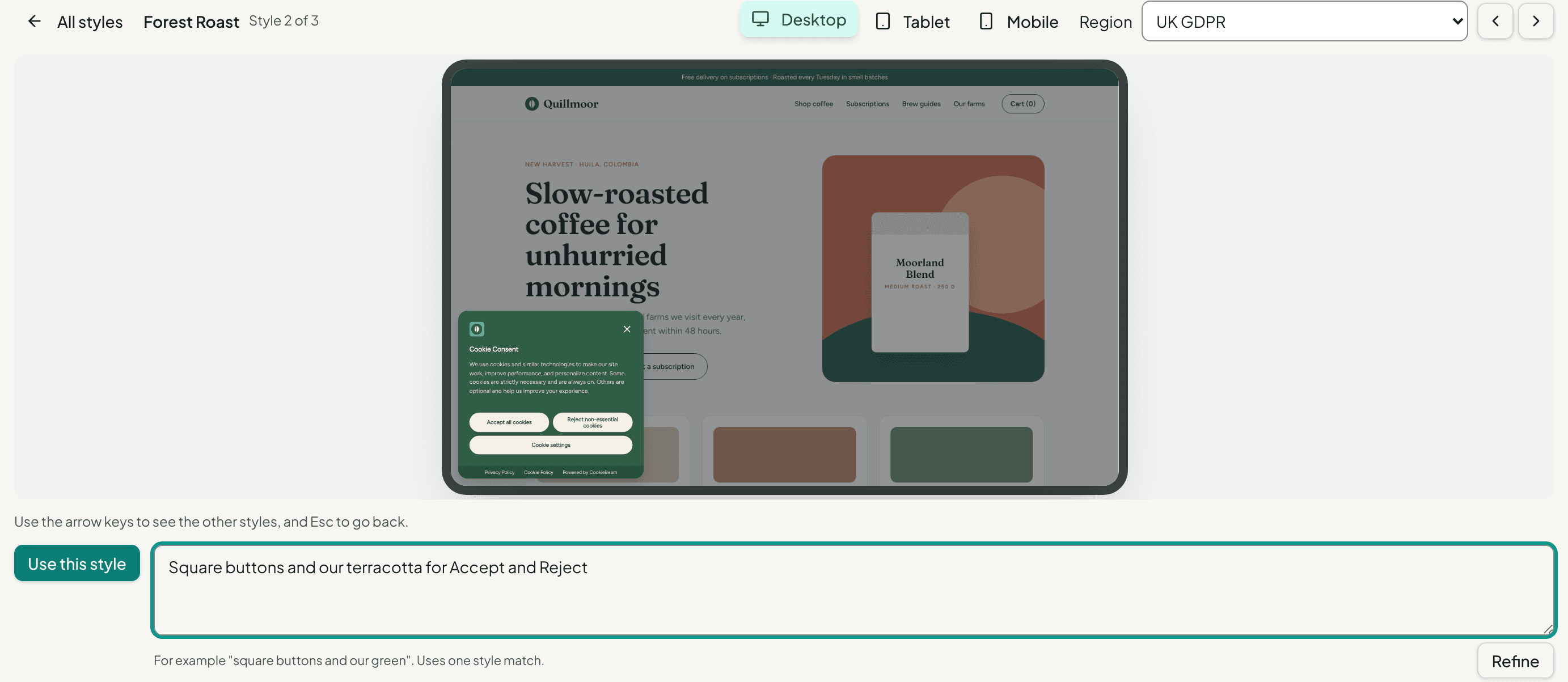
Let AI style your banner from your own homepage
CookieBeam captures your homepage, reads its colours, fonts, corner shapes and logo, and suggests three banner styles that fit. You see each one on your own homepage before anything changes.
- Preview each style on desktop, tablet and mobile, and under each legal preset
- Refine in plain words; the result appears as a new style next to the original
- Readable text and equal Accept and Reject buttons in every style
- Saved styles become themes; nothing is live until you publish
Available on Starter and above. It changes how your banner looks, not your consent settings or wording.
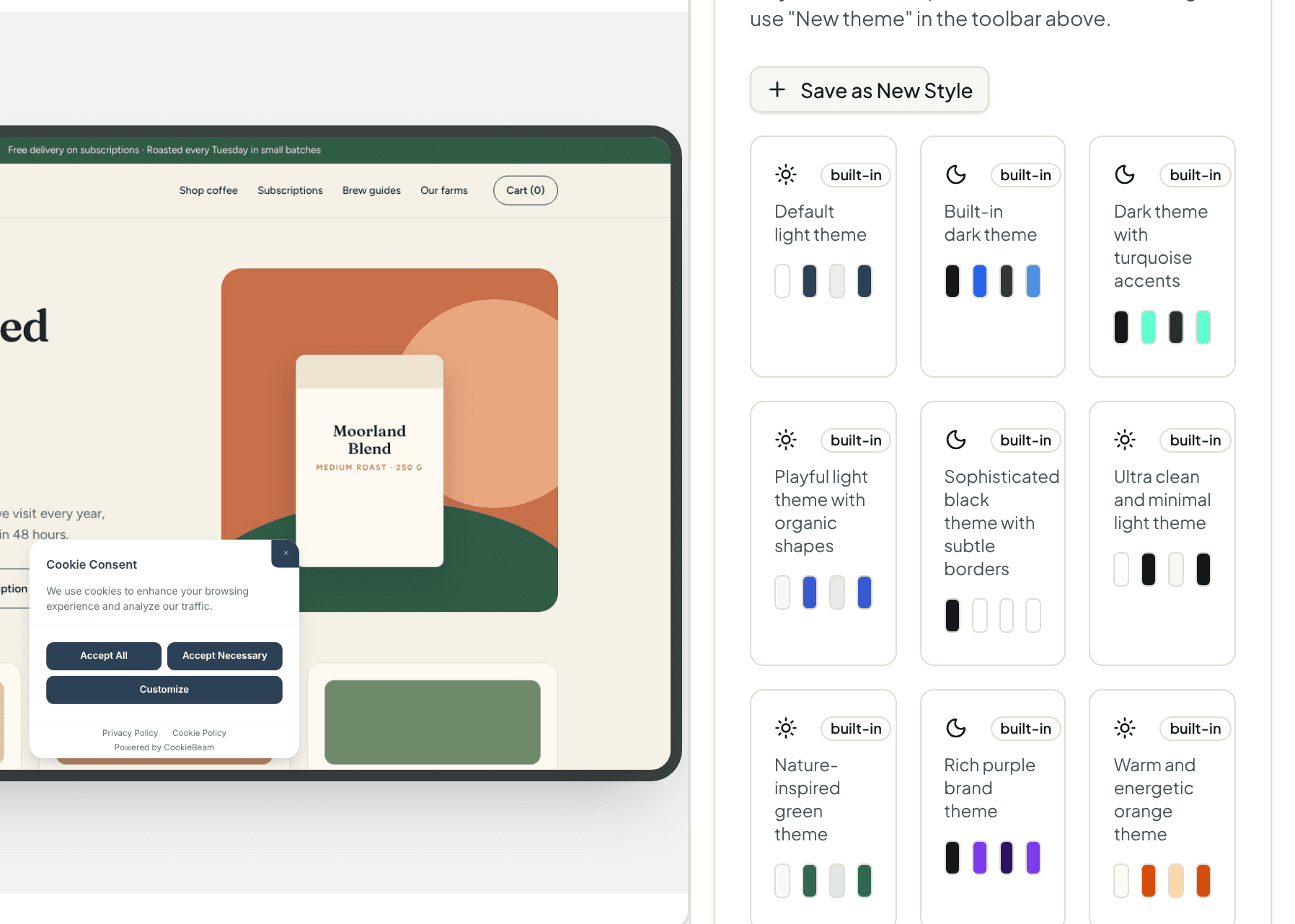
Beautiful Banners That Match Your Brand
Choose from 21 built-in themes or create your own custom styling. Our visual editor makes it easy to design consent banners that seamlessly integrate with your website.
- 21 professionally designed themes
- 7 banner layout variants: Box, Cloud, and Bar
- Full control over colors, fonts, and positioning
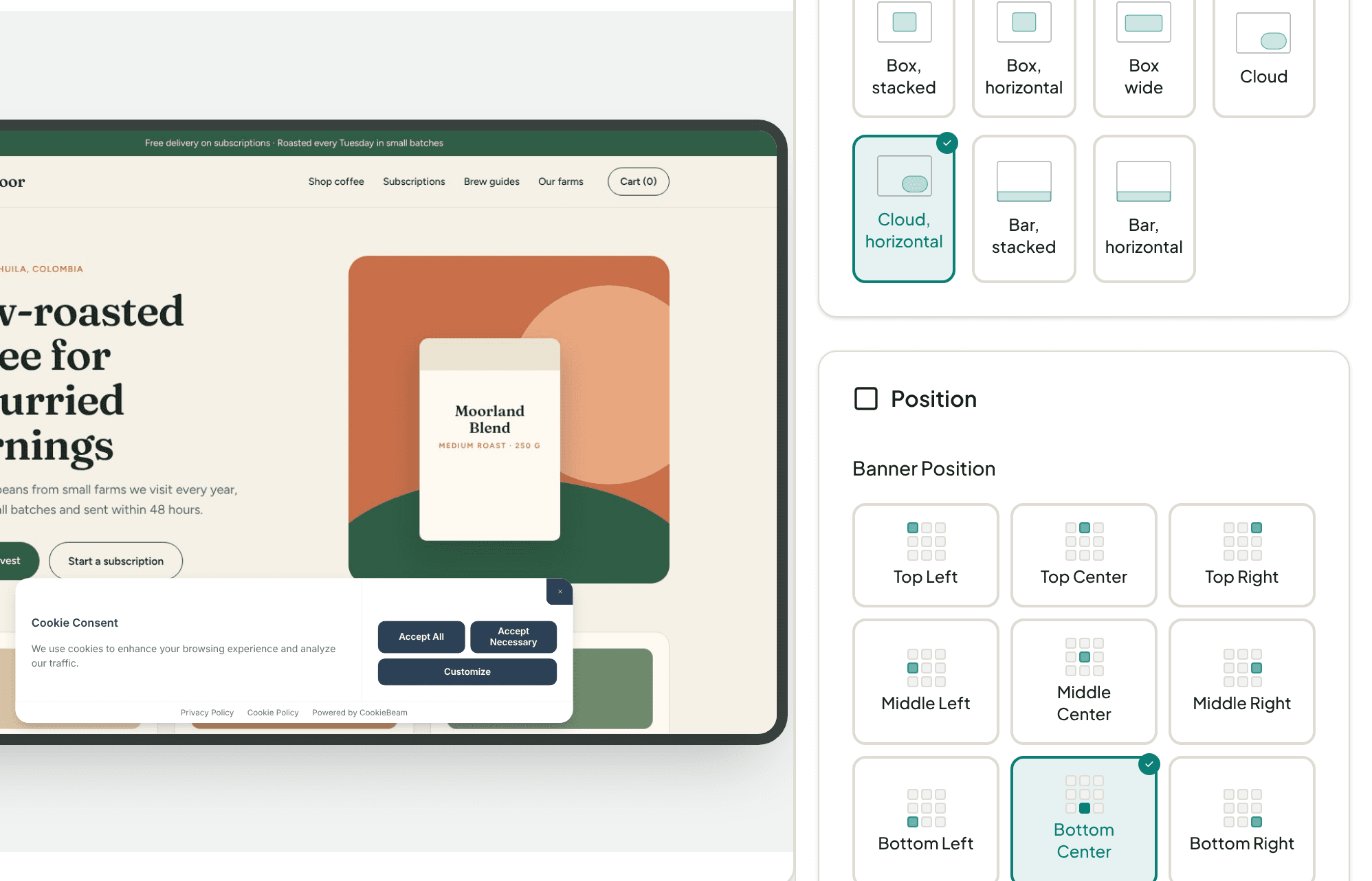
Position Your Banner Anywhere
Choose from 7 banner layout variants. Box and Cloud support a nine-position grid; Bar sits at the top or bottom of the page.
- Box, stacked; Box, horizontal; Box wide; Cloud; Cloud, horizontal; Bar, stacked; Bar, horizontal
- 9 position options across the screen
- Optional page interaction blocking
See What's Possible
Much more than colours: layouts and positions, your logo and font, button styles, the preferences panel and the wording each region needs. Every example below is a real banner rendered on a capture of the same homepage.
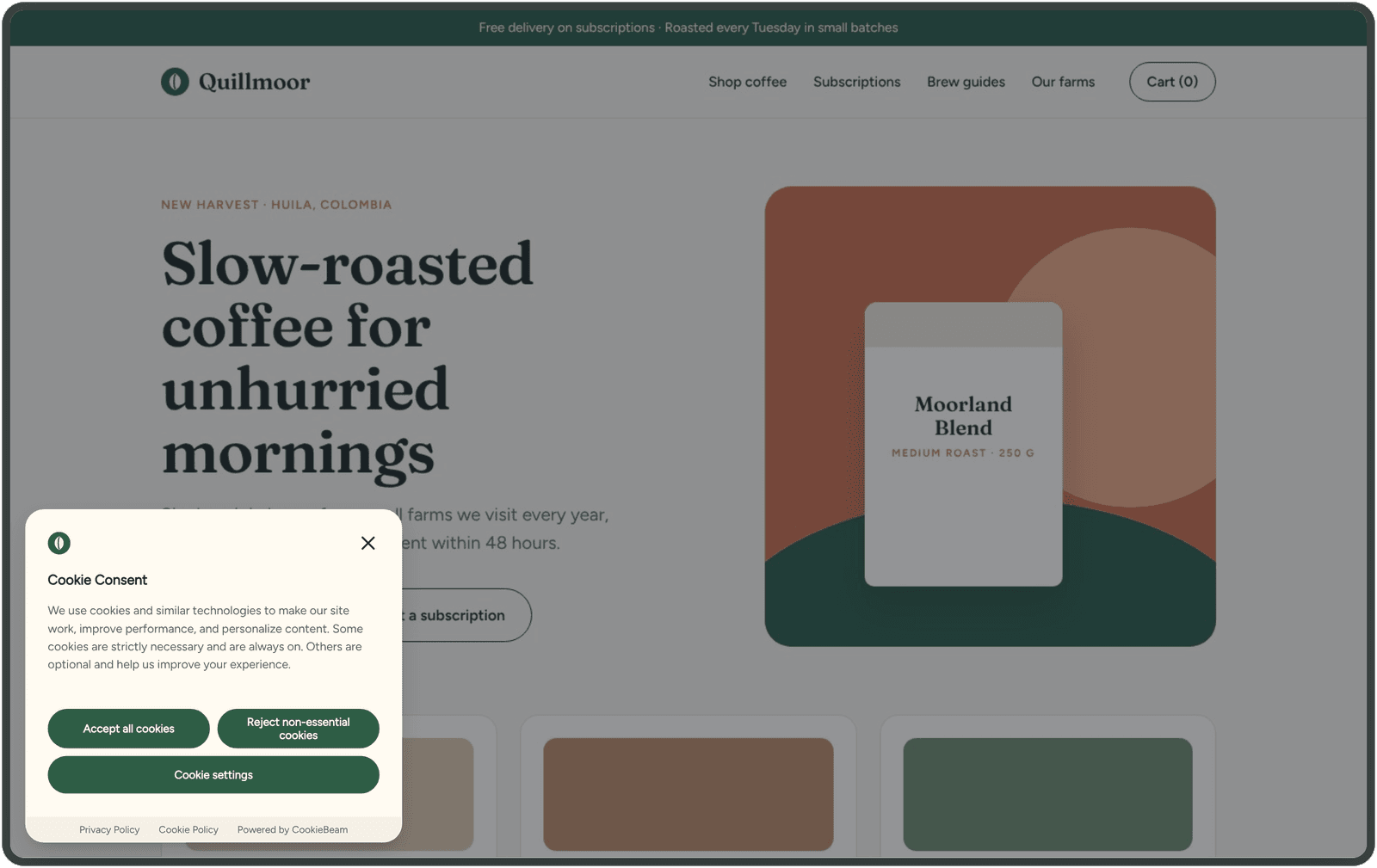
Matched to your site
Your logo, your font and pill buttons, suggested by Match my website.
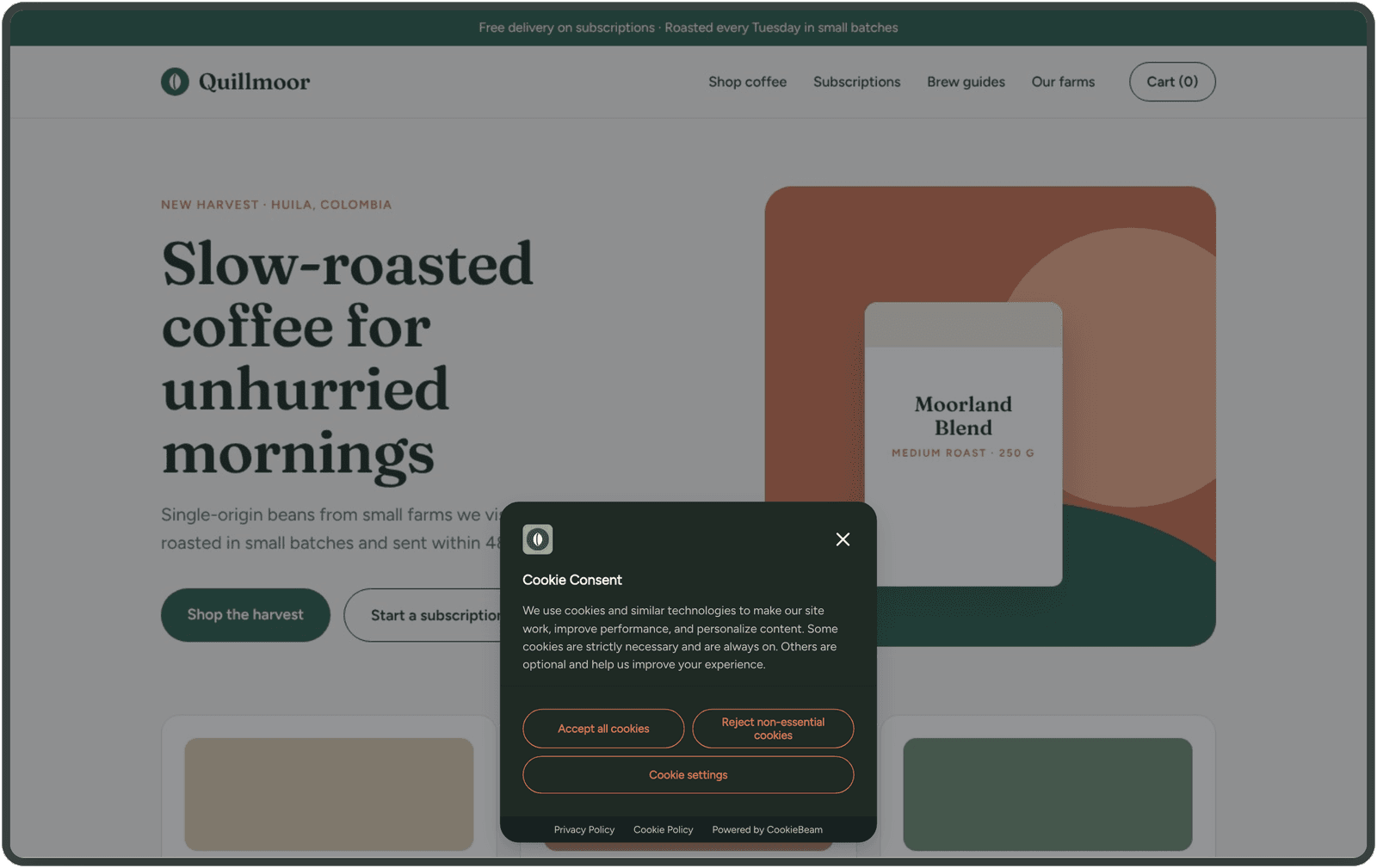
High contrast, outline buttons
A dark panel with outline buttons that stands out on a light site.
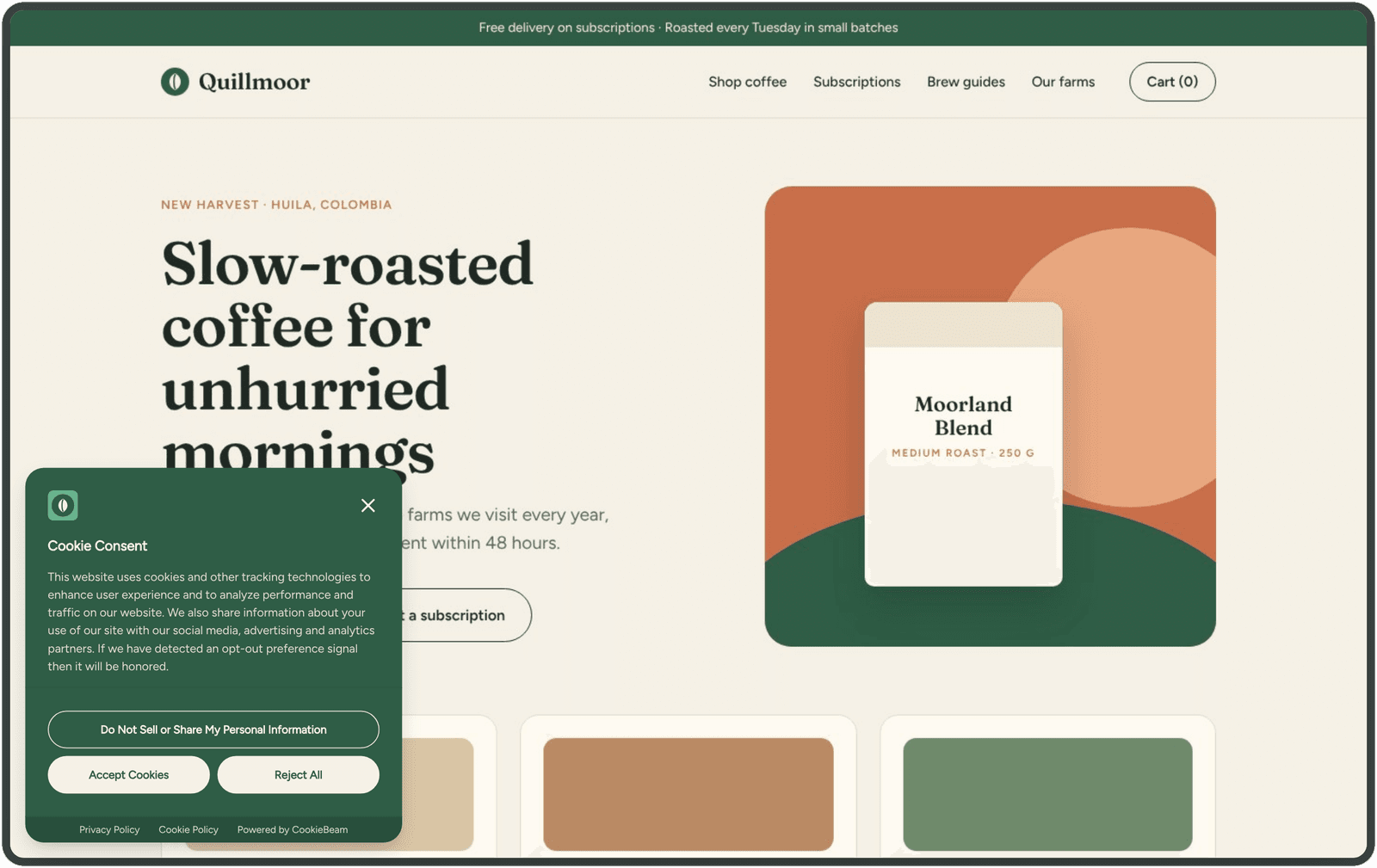
Wording for each region
California visitors get Do Not Sell or Share; EU visitors are asked first.
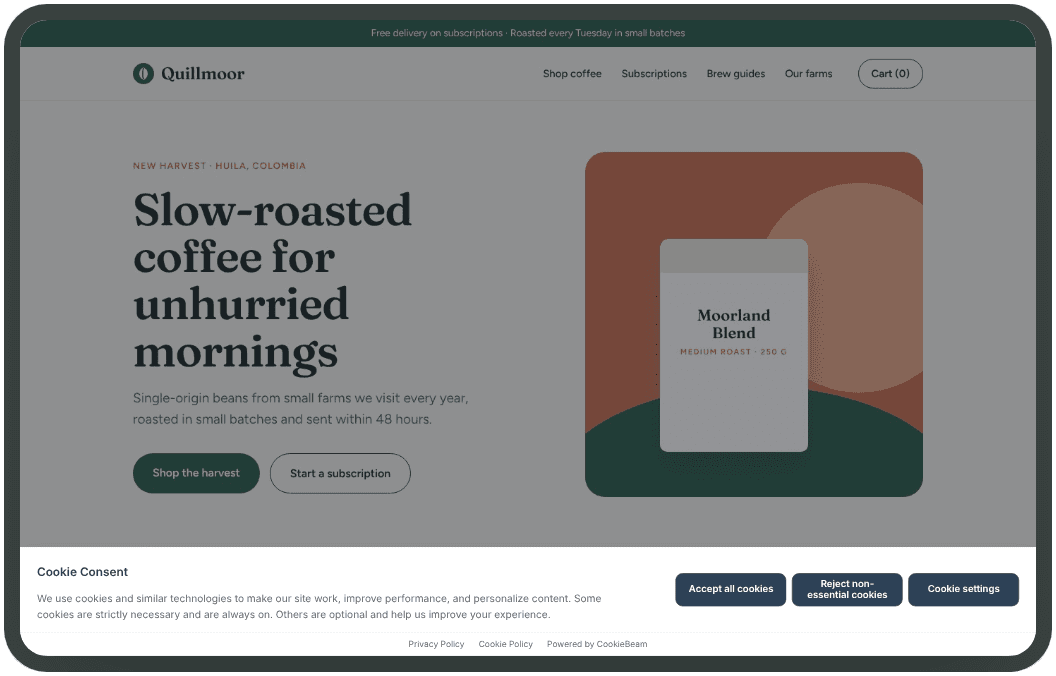
Full-width bar
A slim bar along the bottom that keeps the page in view.
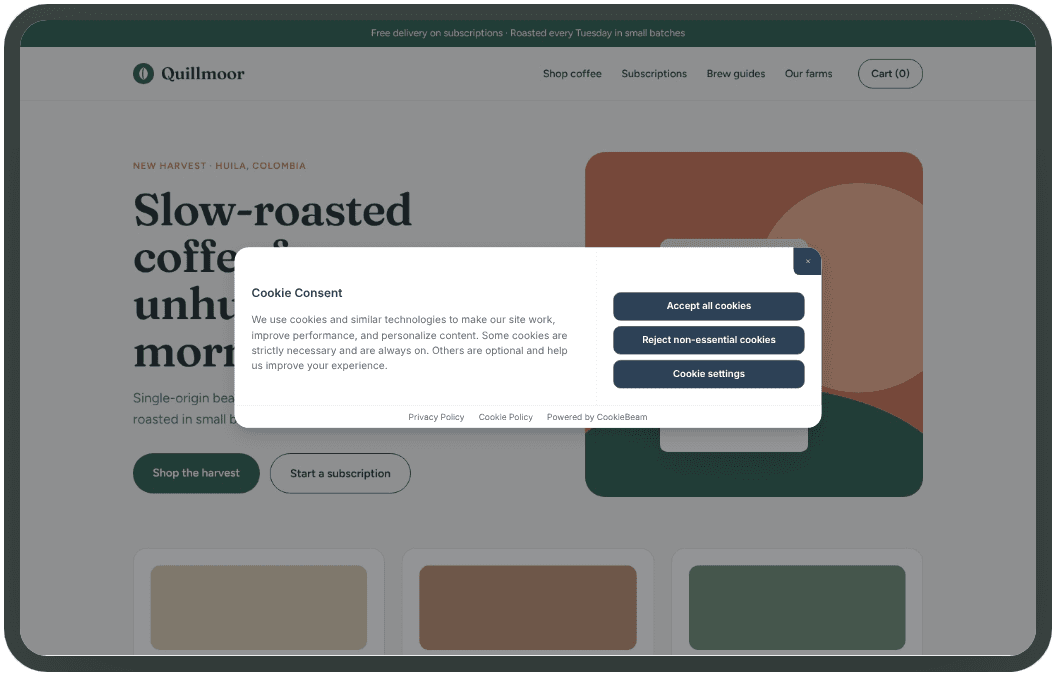
Floating cloud
A compact card that floats over the page.
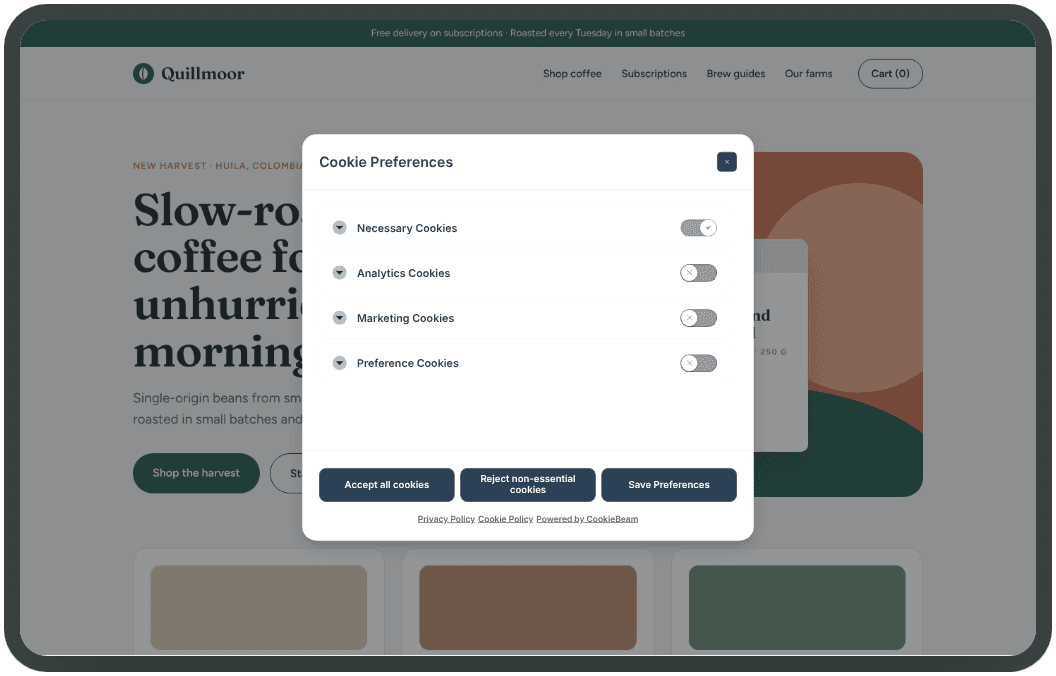
Preferences panel
Category toggles visitors can switch on and off one by one.
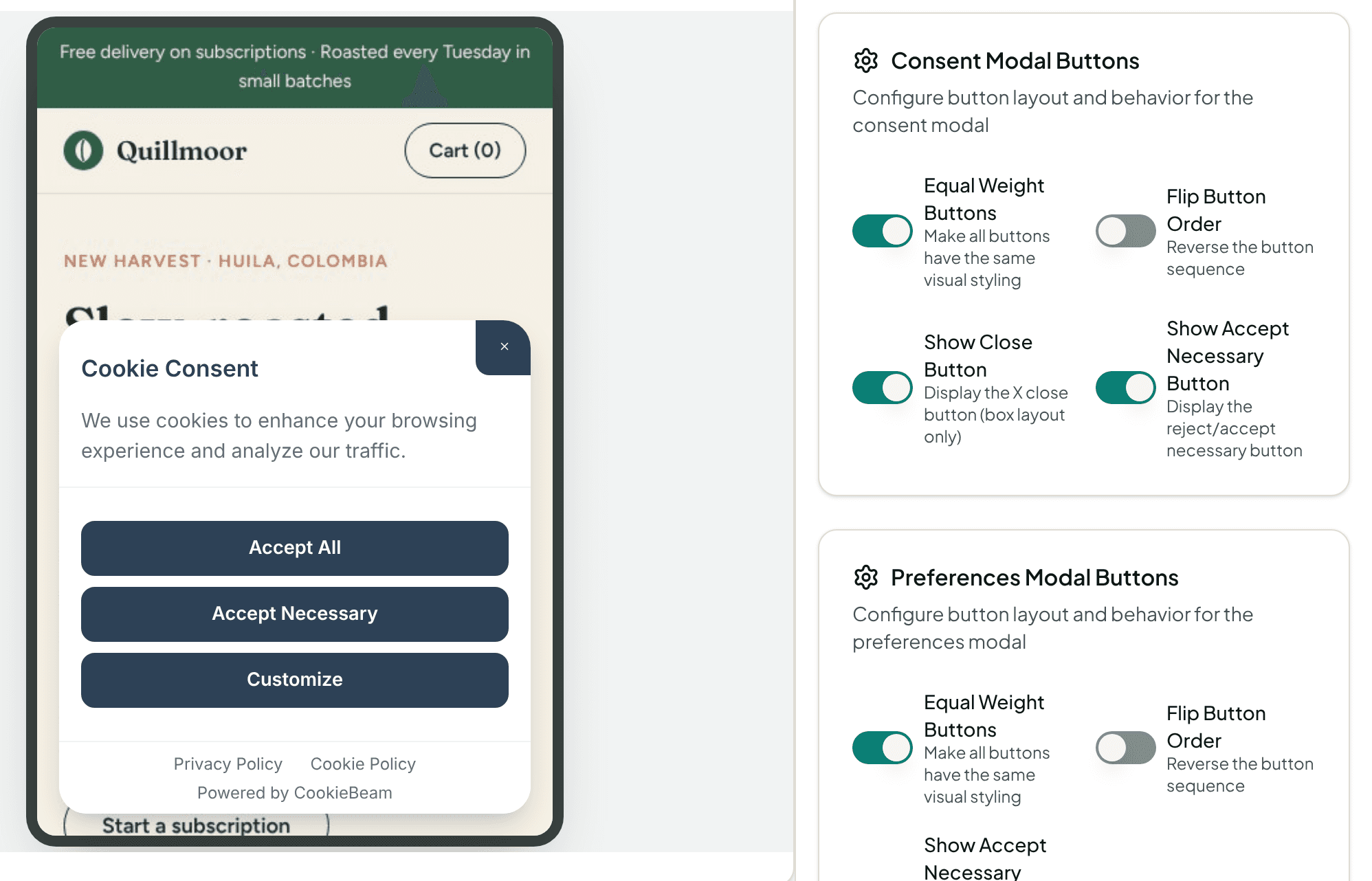
See Your Banner Before Going Live
Preview your consent banner in real-time across desktop, tablet, and mobile devices. Test different scenarios and see exactly how your visitors will experience it.
- Desktop, tablet, and mobile previews
- Test consent and preferences modals
- Instant visual feedback as you design
Consent Signals for Your Measurement Tools
CookieBeam sends consent signals to Google tags, Microsoft UET and Clarity, and Meta Pixel. Enable and publish the relevant integrations, install the tags separately, and verify their consent behavior.
Google Ads may model conversion gaps; advanced Consent Mode uses cookieless pings when consent is denied, subject to Google’s traffic and eligibility requirements. Modeled results are aggregate estimates, not recovered individual conversion events. Microsoft UET modeling requires its own tag setup; Meta and Clarity consent signals and server-side GTM do not guarantee conversion recovery.
Ready to take control of cookie consent?
Start your 14-day free trial today. No credit card required for signup.
Start Free Trial